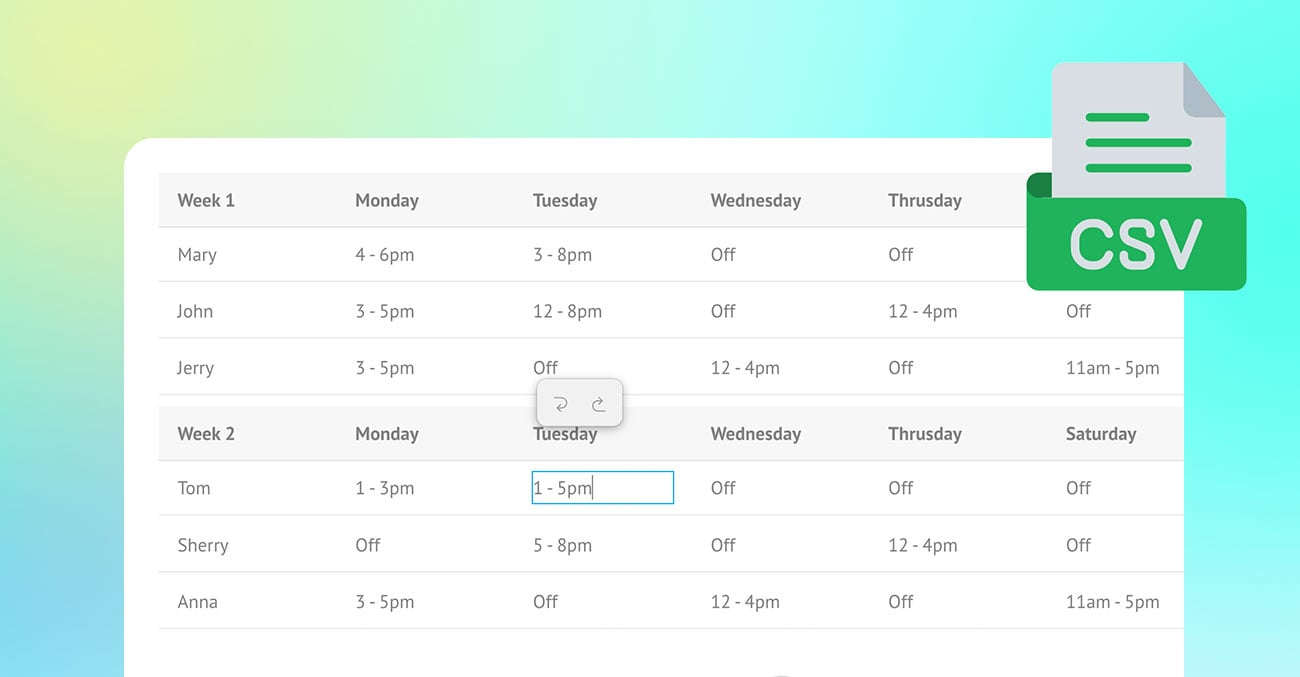
Tables are one of the most useful ways to present structured information, but creating and formatting them can often feel time-consuming. The new Builder Table module makes the process quick, simple, and visual. Instead of manually coding tables or struggling with complex formatting, users can build tables directly in Themify Builder with an intuitive table-editing interface.
Whether you are creating pricing tables, comparison charts, event schedules, product specifications, directories, menu lists, or detailed data tables, the Table module gives you an easy way to organize content clearly. Simply drop the module into your layout, click into the cells, and start entering your content. From there, you can import CSV data, rearrange rows and columns, resize column widths, style the table, and enable freeze options for larger tables.
With its user-friendly editing experience and flexible styling controls, the Table module helps users create clean, professional, and mobile-friendly tables without needing custom code.