Whether you are a designer, developer, or complete newbie, Themify Themes are packed with features to help you quickly and painlessly set up a beautiful WordPress site. Use our tools to change theme options, design the look and feel, and even control your content layout.
Themify Framework
Each theme includes our constantly improving Themify framework. Our flexible framework provides complete control, allowing users to customize the theme without having to write any code or edit templates.
Drag & Drop Builder
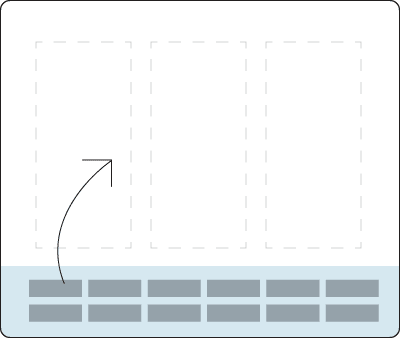
The Themify Drag & Drop Builder lets you build pages on-the-fly, allowing you to instantly preview your changes live, on the front end. Our Drag & Drop Builder works on desktop, tablet, and mobile, allowing you to build pages anywhere and everywhere, without having to touch code.
Styling Panel
Themify Themes come with a robust and extensive Styling Panel, which allows you control every single detail of your theme. Control the styling for everything from header styles, background image styles, post title styles, footer styles, and everything in between. The Styling Panel provides the ultimate control over the most minute details of your theme, allowing for complete personalization and customization.
Widgets
Themify Widgets are crafted to fill in the gaps that other WordPress widgets do not satisfy. They are built to provide flexible functionality without having to code, making it easy to create and display content on your website.
Shortcodes
Themify comes packed to the gills with proprietary shortcodes. These shortcodes allow you to quickly insert content, like a Flickr Photo Stream, or Twitter stream, without having to understand and write code.
But Wait, There's More!
Auto Theme Updates
One-click auto theme update in admin panel, no need to download or FTP.
Logo Image
Establish your brand with customizable website logo text, or upload your own logo.
Custom CSS
Itching to add your own code? Throw in your own custom CSS in the Styling Panel.
SEO Optimized
Carefully coded with search engine optimization (SEO) best practices in mind.
Custom Styling
Our Styling Panel allows you to style anything from font, color, and background.
Social Icons
Themify comes with Social Icons right out of the box, no need to find your own.
WPML Compatible
Translate or create a multilingual site with WPML plugin with Themify themes.
WooCommerce
Transform your website into an online shop with WooCommerce, fully supported in Themify.
Google Fonts
Over 600+ Google Web Fonts can be selected for font styling.
Child Themes
Easily create your own customized Themify theme without editing the original themes.
Multisite Support
Create a network of WordPress Multisites that all share the same Themify installation.
Latest WordPress
Themify themes are guaranteed to work with the latest version of WordPress.
Themify 7.5 has released! Please read the update notes.