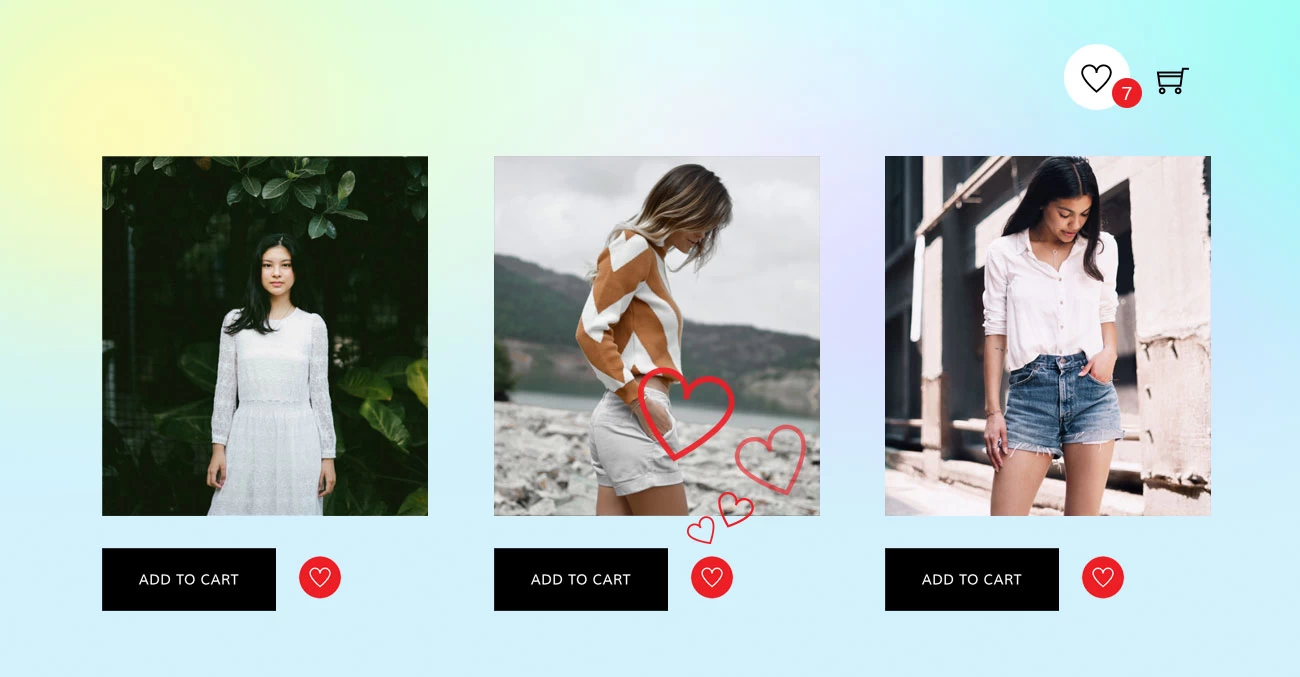
We've got a fun new update for all Builder Pro users — you can now add Wishlist Products to your site! This means your customers can save their favorite products while they browse, making it super easy for them to come back and buy later. It's a great way to keep shoppers engaged and help boost your sales without any extra hassle. Setting it up is quick and simple, and you can customize it to match your site's style using the drag & drop Builder. View the "Pro Fashion" demo to see the new wishlist feature in action.
Product Releases
New “Filter By” Feature in Post Filter
We're excited to introduce a powerful enhancement to our popular Post Filter! Previously, users could filter posts dynamically using Ajax, but now we’ve taken it a step further. With the new "Filter By" option, you can choose which taxonomy to use as the post filter navigation, providing even greater flexibility and control over how content is displayed.
For example, if you have a "Property" custom post type, you can now filter posts by taxonomies such as property type, number of bedrooms, bathrooms, parking availability, and more. This makes it easier for users to find relevant content based on specific criteria.
The Post Filter feature is available in the Builder's Post module and in Builder Pro's Archive Post and Advanced Posts module. Once you update to the latest version, you will find the "Post Filter" option group on the Post, Archive Post or Advanced Posts module, where you can enable the post filter feature and select the "Filter By" option.
Introducing the New Lawyer2 Skin – A Modern & Professional Design for Law Firms
We’re excited to announce the release of our latest pre-designed skin – Lawyer2! Tailored specifically for lawyers, attorneys, and law firms, this new skin is designed to exude professionalism, trust, and credibility, ensuring your legal website stands out effortlessly. It is a fully predesigned site that includes a homepage, an about page, a team (attorneys) page, a practices (services) page, and a contact page. Available with Ultra theme or Builder Pro, Lawyer2 provides a ready-to-use, highly customizable design that will help you establish a strong online presence in minutes. Not to mention, Lawyer2 achieves a PageSpeed score of 100 on Google PageSpeed Insights, which is essential for SEO and user experience.
Recent New Updates & Features
At Themify, we’re constantly innovating to bring you the best tools for building modern, visually stunning websites. Recently we’ve introduced several exciting updates and features to enhance functionality, improve design flexibility, and provide a seamless user experience. From new visual effects such as backdrop blur to integrations of Azure Maps and Cloudflare Turnstile, these updates aim to empower your creativity and streamline your workflow. Let’s dive into the details of these enhancements and see how they can take your website to the next level.
New: Builder Pro Templates for WooCommerce Cart & Checkout Pages
Customizing the cart and checkout pages in WooCommerce can significantly enhance your store's user experience. By creating tailored templates, you can align these critical pages with your brand's aesthetics and optimize them for higher conversions. Typically, you would need to create a child theme or use hooks and filters to customize the cart and checkout pages, but now Builder Pro has made it super easy—without any coding.
New Feature: Backend Mode Edit For Accordions & Tabs
Since the Themify v7.5 release, we've added the capability to drop modules inside accordion and tab content. Many users really enjoy this feature as it offers more flexibility in designing content for accordions and tabs. With the ability to drop any module, apply styling, and select grids, you can design any layout for accordions and tabs. The only downside was that accordion/tab content needed to be edited in frontend mode, which caused some inconvenience for users who strictly use backend mode to edit their content.
If you prefer to use backend editing, we have good news for you. With the latest update, you can now edit accordion and tab content in backend mode. Achieving this goal was very challenging because users could have many modules and multi-level nesting modules (e.g., accordions within accordions or tabs within accordions). There were code and UI/UX concerns we needed to tackle. We are very proud to present this new feature to you.