We're very excited to release our newest Builder addon: Content Restriction - an addon that allows you to restrict module or row content based on the WordPress user roles. This addon allows you to restrict or view certain content on any module or row to different user roles on your site. It's designed for sites that would like to display private module or row content that is only available to specific users.
Product Releases
Builder Update: Custom Post Type Removal
In an effort to make the Themify Builder simpler to use, we've decided to deprecate the following custom post types that originally registered with the Builder: Slide, Highlight, Portfolio, and Testimonial. Our finding shows that those custom post types have been causing a lot of confusion for new users, as they don't know how to add posts for those post types. Some users also complained that those custom post types add unnecessary menus on their WordPress Dashboard. Thus we've deprecated them in Themify framework 2.1.2 the Builder Plugin 1.3.1.
Landing Theme Coming Soon
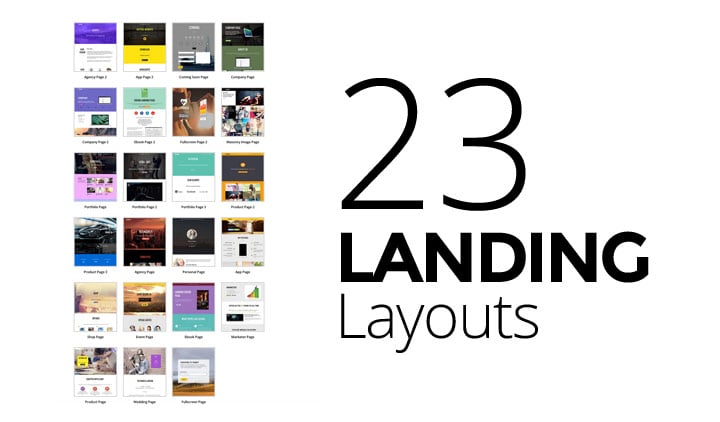
Update: We're hard at work designing the demo page and we're very excited to launch this theme very soon! Here's another sneak peak of some of the demo pages we're working on.
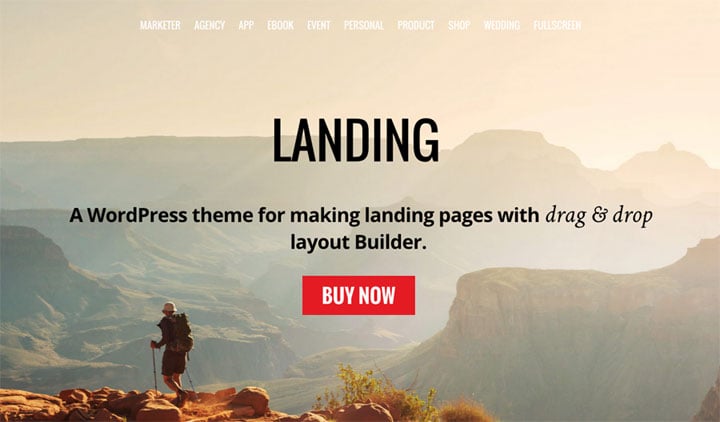
We're cooking up a new theme that'll help you design awesome landing pages with the drag & drop Builder. It's still in the works but we wanted to give you a sneak-peak of the theme design. Let us know what you think and if there's any features that you'd like to see in this theme, we'd love to hear your thoughts.
Connect with us through our social links to get the latest Themify news, updates, and promotions!
New Builder Addon: Maps Pro
Change the way you display maps on your site with our newest addon: Maps Pro. It's designed to give you the ability to insert multiple location markers anywhere on your map, and set various custom map styles. Each marker can be customized with its own address, custom icon/image, and text that will appear on the tooltip pop-up. The backend preview mode allows you to insert a base map address which allows you to specify the area where you want your map to focus on. This creates a preview that'll show where your markers will appear on the map, and how the type and style will look like once it's saved. The Maps Pro addon gives you more control on how you can customize the look and feel of maps on your site.
New Year New Theme: Stack
To welcome 2015, we're very excited to introduce an amazing brand new theme — Stack. Inspired by Windows 8 Metro design and Themify Metro theme, we've built this theme to work seamlessly with the Tiles Addon (included in the theme), allowing you to create amazing metro designed layouts using the drag & drop Builder. Stack is a fluid and responsive WordPress theme that works on all resolutions, and on any device (desktop, tablet, and mobile). It comes with masonry & infinite scroll features for WordPress Post Formats, portfolio, and WooCommerce shop.
STACK Theme 40% Discount
To celebrate the release of this new theme we're giving 40% OFF to all Stack theme purchases from now until January 11, 2015. Just use the coupon code: STACK. Update your site with this amazing new theme now!
Featured in..
This theme is featured on the First Site Guide as one of the best WordPress themes of 2014.
Fullpane Section Scrolling Made Easier
We've updated Fullpane theme to make full section scrolling pages easier using the Builder. Previously it required you to construct the sections using the Section post type and then query the Sections in the page. This process was confusing and time consuming. Now we've made it easier through the Builder, allowing you to create unlimited section scrolling pages and more frontend page editing.
To create full section scrolling pages:
- Add a new Page and enable the Full Section Scrolling in the Themify Custom Panel
- With Full Section Scrolling enabled, each Builder row represents a section
- Then use the Builder to construct each row (section) as you like
Read this tutorial or watch the video tutorial for more details.
Backward Compatibility
If you already have a Fullpane site with existing Sections, not to worry the Section post type will remain functional. The Section post type will be hidden if there is no Section posts.