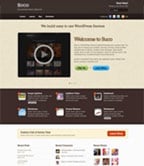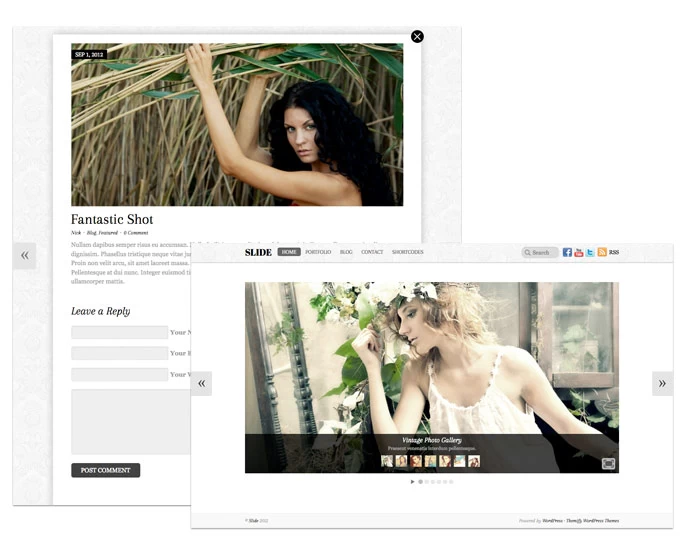
We have been building and releasing many awesome WordPress themes lately. We recently launched Pinboard, a Pinterest inspired theme, which is currently one of our most popular themes. Soon after, we released Fullscreen, a fullscreen gallery theme that places the focus on your photos. We followed Pinboard and Fullscreen with Postline, a theme inspired by Facebook's Timeline.
Product Releases
Pinboard v2 = Multisite and Social Sharing
We are proud to announce version 2 of Pinboard, our Pinterest-inspired theme. We've added multisite integration and social share features. For those who are not familiar with the term 'multisite', basically it lets users to create sub-sites under your site. With Pinboard v2, you can setup your WordPress as a multisite which enables users to signup and publish posts on your site. We also bundled an option to open single posts in lightbox mode in this update. Read below for more details.
Multisite Integration
The multisite feature in Pinboard allows you to synce all posts from micro sites in your network and show them in your main site. Users can register in your site and create micro sites. When they publish a post, it will be also published in your main site.
Custom Signup and Login Form
We've built a custom sign up and login shortcode which allows you to display the form anywhere in the post, page, or widget.
Social Share
Now visitors can easily share your posts to Facebook, Twitter, Pinterest, and Google Plus by clicking on the share buttons. Each button contains a counter to show how many time the post has been shared.
Open Posts in Lightbox Mode
In this version, posts can be set to open in a lightbox popup like Pinterest.com.
Upgrade Now
If you are using Pinboard on a single/standard WordPress site, you won't see the multisite options. The social share and open posts in lightbox mode option are available to both. Upgrade Pinboard now via Themify option panel or read this documentation on how to setup Pinboard on a multisite.
Postline, A Theme Inspired by Facebook’s Timeline
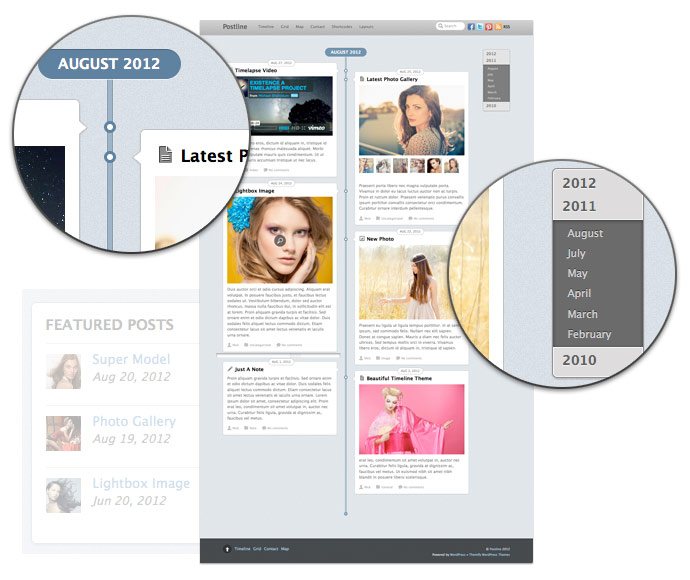
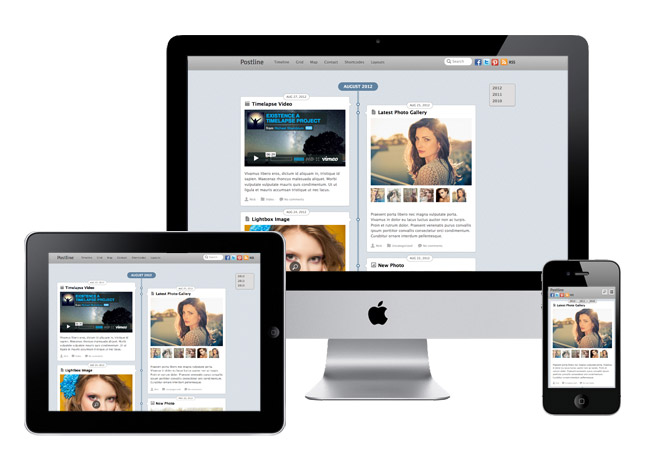
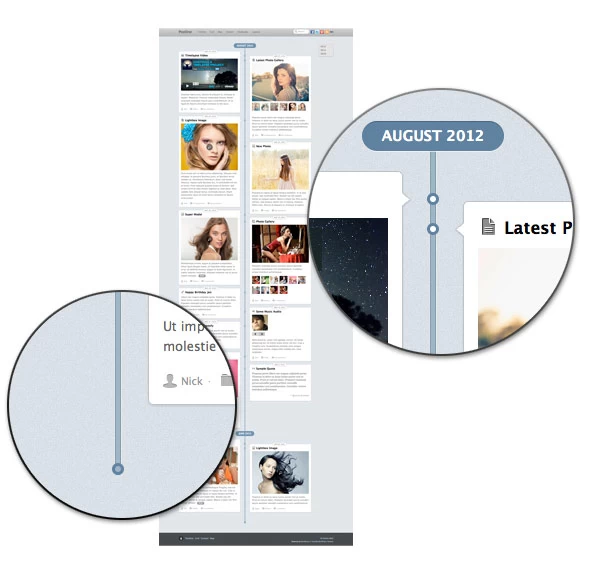
Are you a big fan of Facebook's Timeline feature? You're going to love our newest theme, Postline (view demo), a responsive theme with infinite scroll inspired by Timeline. It is designed to capture different types of post formats like quotes, videos, images, galleries, and many more, allowing you to tell your story on any resolution, whether desktop or mobile device. In addition, Postline is built with infinite scrolling, meaning posts are loaded automatically when you hit the bottom of the page. This theme is perfect for bloggers who want to showcase their photos and videos that are time-sensitive like travel or food photos!
Get this theme at a discounted price: use the coupon code "postline" to save 30% off this theme until Sep 2nd, 2012.
Responsive Design
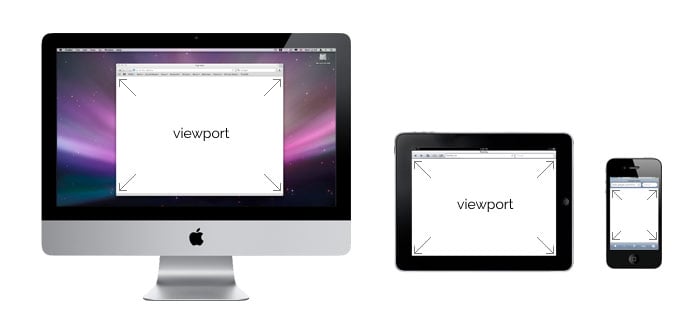
The layout of Postline automatically adjusts to the width of the viewport so your story will be told on any resolution whether it is a large desktop display or small mobile screen.
Timeline Layout
We were inspired by the simplicity and beauty of Facebook's Timeline, so we created a WordPress theme that makes it easy for bloggers to tell their story, on their own blogs.

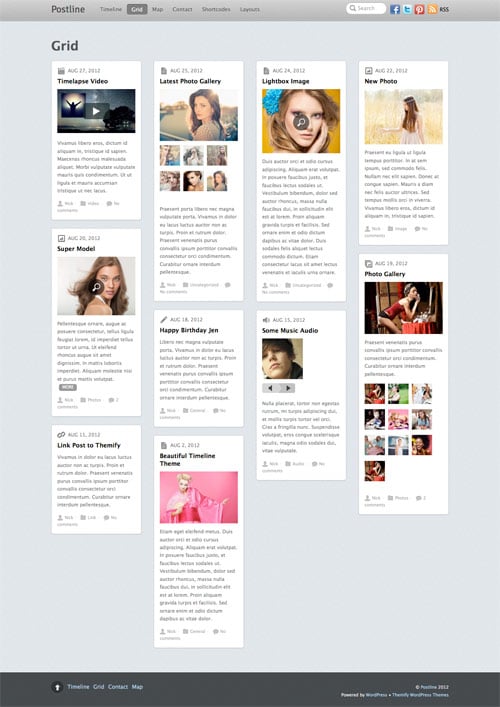
List and Grid Layout
For those who would rather not have the Timeline layout, the regular layouts are available such as 4-column, 3-column, 2-column, or list post.

Infinite Scroll or Traditional Numbered Navigation
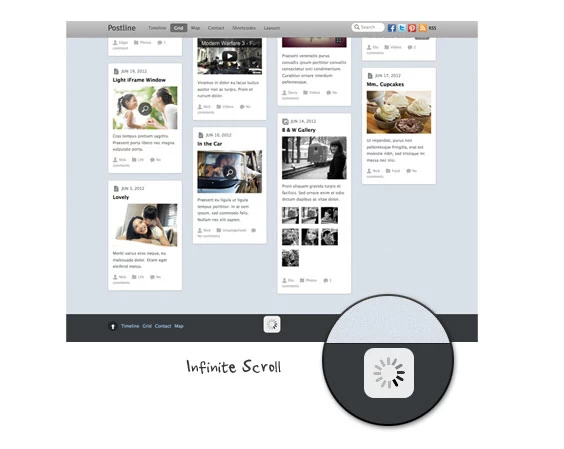
Postline utilizes infinite scroll, loading more posts automatically when hitting the bottom of the page. In addition, traditional numbered navigation is also an option for those who aren't so keen on infinite scroll.

WordPress Post Format Support
Postline is designed with WordPress post format support, allowing bloggers to publish Tumblr-like post content such as quotes, videos, images, galleries, audio, and much more.
![]()
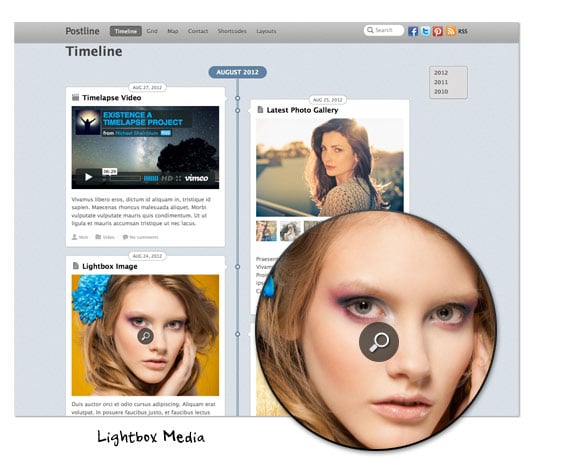
Video & Multimedia Lightbox Content
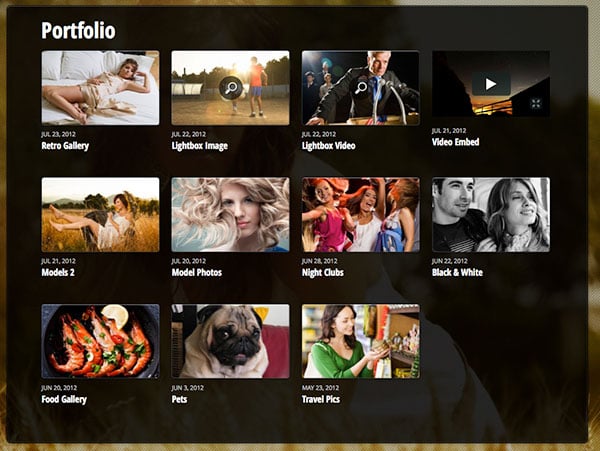
Featured images can display embedded videos and lightbox content such as images, videos, or iFrame windows.

Fullscreen Gallery Theme
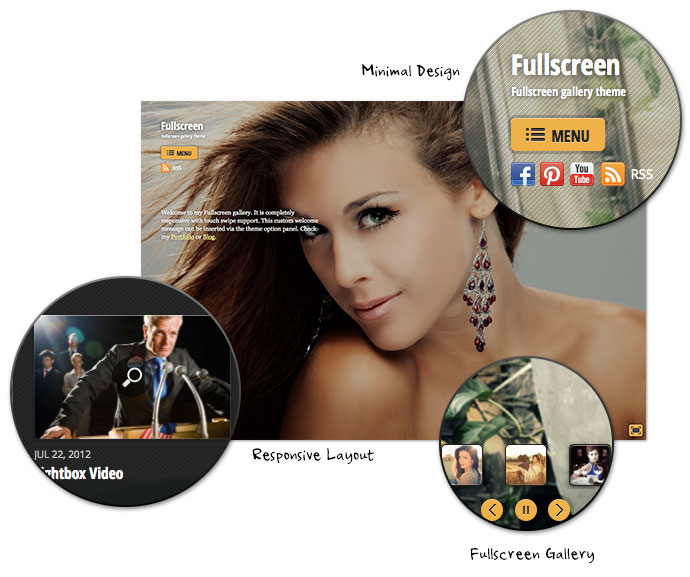
Please welcome our first theme designed by our developer Elio Rivero - Fullscreen (demo). It started with a simple discussion about fullscreen galleries and Elio suggested to take responsibility to design it. We agreed to it because we thought it would be fun to have a theme designed from a developer's perspective. After hours and hours of hard work and collaboration, Fullscreen turned out to be a gorgeous photo gallery theme. The entire process was very fun and we are extremely happy with the outcome. It is the best responsive theme to showcase your photos in a complete fullscreen mode.
Get this theme at a discounted price: use the coupon code "fullscreen" to save 30% off this theme until Jul 31, 2012.
Responsive Design
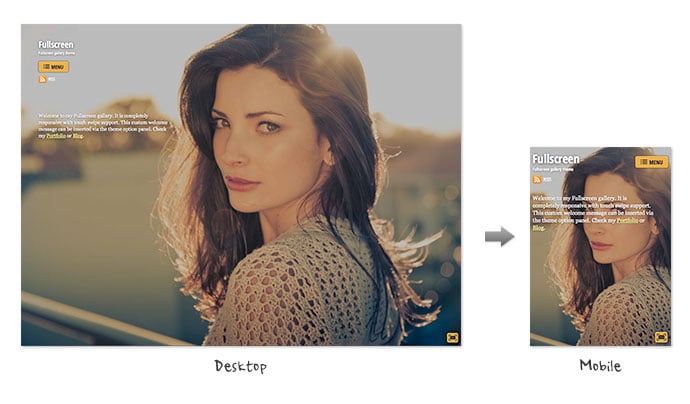
The layout automatically adapts to the viewport width so it displays beautifully on any resolution whether it is large desktop display or small mobile screen.
Minimal Homepage
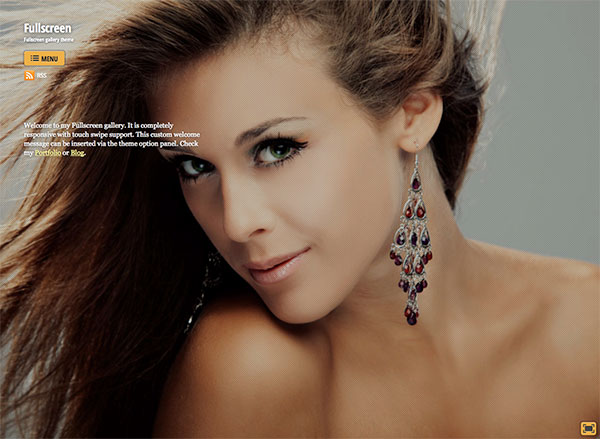
We minimized the elements homepage so your photos are put in center focus. It only contains the logo, description, social icons, and an optional welcome message.
Fullscreen BG Gallery
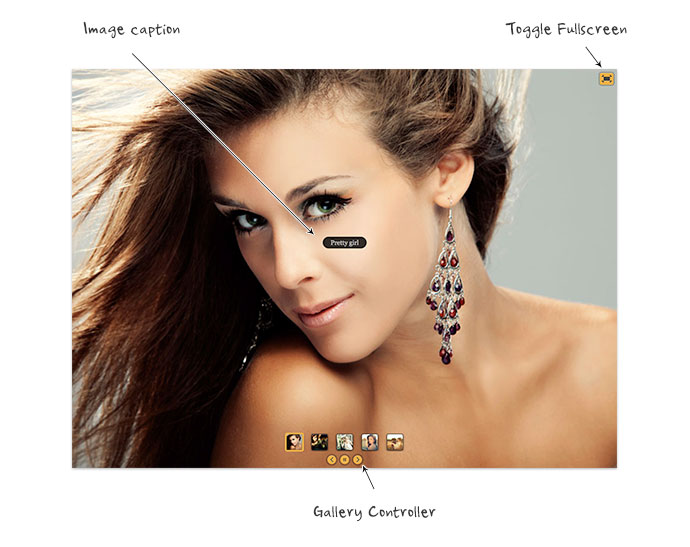
The fullscreen gallery can be individually assigned to any WordPress Post or Page. You can insert optional image caption to each image. Users can toggle to fullscreen mode by clicking on the fullscreen button and pressing escape key to exit the fullscreen mode. The fullscreen gallery has swipe support on mobile devices (ie. users on iPhone can swipe through the photos).
Regular Gallery
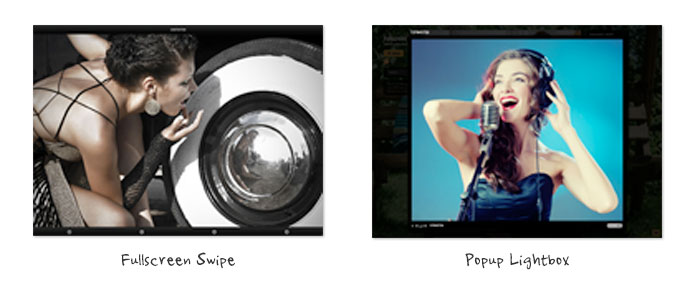
For the regular WordPress gallery, there are two display options: photoswipe or lightbox. It can be either displayed in fullscreen swipe or popup lightbox mode.
Video & Multimedia Lightbox Content
Fullsscreen can also be used to display video embeds and multimedia lightbox content such as image popup, video, or iframe window.
Pinterest Inspired Theme: Pinboard
Big fan of Pinterest? You've got to love this new theme we have to offer - Pinboard. It features an auto stacking layout with infinite scroll as seen on the Pinterest desktop site. If you are unfamilar with the term "infinite scroll", it means that new posts are loaded automatically when you hit to the bottom of the page. The stacking layout works perfectly and responsively on any resolution (both desktop or mobile devices such as iPad, iPhone, Blackberry, and Android). Check our demo and resize your browser window to see how the layout adapts.
Wanna grab this theme at a discounted price? Use the coupon code "pinboard" to save 30% off this theme until Jun 29, 2012.
Themify Framework Updated to 1.1.6
We've been working very hard on improving the Themify framework. For those who are not a big fan of XxxXxxxx, we have a good news in this latest release. Now you can use the WordPress generated thumbnails for the post image instead of the XxxXxxxx script with our themes. Below are the details about this update.
WordPress Feature Image
Themify themes uses XxxxXxxxx (similar to XxxXxxxx script) to generate thumbnail images with different dimensions on the fly. However, some users are unable to use the image script due to server compatibility. Users have always been able to disable the image script via the theme option panel, but then images have to be manually cropped before uploading to the server which can be an inconvenience for some users. For this reason, we enhanced our framework to allow you to select the thumbnails that are generated with WordPress. With the new version, once the image script is disabled, a dropdown will be available for you to choose which image size to use. The image sizes (thumbnail, medium, large) can be set at WordPress Media Settings. In other words, you can specify 250 x 250px medium size to be used in the archive pages and 560 x 300px large size for single post page.
Regenerate Thumbnails
We've also integrated a regenerate thumbnails feature in the framework. The regenerate thumbnails allows you to re-generate a new set of thumbnails that are already uploaded to the blog. This tool is useful if you've changed any of the thumbnail dimensions on the Media Settings page.
Post Image Migrator
In this new framework version, the post image uploaded via the Themify Custom Panel will be attached to the post and set as the WordPress Featured Image automatically. For those who are using the older versions where a custom field was used to handle the post image, you can use the Post Image Migrator to convert the Post Image custom field to WordPress Featured Image.
Shortcode Button
Along with many new parameters added to the shortcodes, we've added a shortcode button on the editor to make inserting shortcodes easier and faster. Now you can specify the shortcode parameters using the visual dialog box.
Detail Changelogs
For more details on this release, please read the changelogs.